Yelp Helps Businesses Communicate Vaccination Requirements

•  Consumers can now stay updated on businesses’ health and safety precautions

•  Yelp will proactively safeguard businesses that add the new attributes


With the uncertainty surrounding the spread of the COVID Delta variant, we’re seeing an increasing number of businesses implement new safety measures to protect their employees and communities. To help consumers understand how a business is currently operating as pandemic guidelines continue to evolve, today, Yelp is announcing two new, free attributes – “Proof of vaccination required” and “All staff fully vaccinated.” Users will be able to filter by these attributes when searching for local businesses on Yelp and will easily see “Proof of vaccination required” indicated on restaurant, food and nightlife businesses in search results.

To help protect businesses that may experience backlash for their vaccination policies, we are proactively monitoring Yelp pages of businesses that activate these attributes. This is one of the significant measures Yelp takes to maintain the integrity and quality of the content on our platform.

Yelp’s Content Guidelines require that all reviews be based on a first-hand consumer experience. However, in recent weeks, we’ve seen a rise in reviews focused on people’s stance on COVID vaccinations rather than their actual experience with the business. When a business gains public attention, people often come to Yelp to express their views on the matter. Mitigating against these “review bombing” events has become a significant issue for online review platforms, which is why Yelp has heavily invested to address this phenomenon for years through our Consumer Alerts program.

Throughout the pandemic, we’ve placed Unusual Activity Alerts on a Yelp page when we uncover an influx of activity in response to a business gaining public attention for their stance on COVID health and safety practices — including requiring vaccinations for employees and/or customers. In fact, since January 2021, we’ve placed more than 100 Unusual Activity Alerts on Yelp pages related to these incidents, which has resulted in the removal of nearly 4,500 reviews for violating our content policies.

Protecting Businesses from “Review Bombing”

For businesses that activate “Proof of vaccination required” and “All staff fully vaccinated” on their Yelp page, we are putting protective measures in place to proactively safeguard them from reviews that primarily criticize the COVID health and safety measures they enforce. We put a similar system in place when we launched our Black-owned attribute in June 2020, and followed the same process for our other identity attributes, such as Latinx-ownedAsian-owned, and LGBTQ-owned. By proactively monitoring business pages that activated these identity attributes for any hateful, racist or other harmful content that violates our Content Guidelines, we thwarted and removed nearly 400 reviews for containing harmful content.

Since the start of the pandemic, we’ve seen incidents of “review bombing” increase around the health and safety precautions businesses implement. Reviews from customers that criticize a business’s vaccination requirements violate our special COVID Content Guidelines, which were introduced in March 2020 to protect businesses from reputational harm related to the pandemic. In 2021, we’ve removed nearly 8,000 reviews for violating these guidelines. Both consumers and businesses can report reviews that “represent an extraordinary circumstance (e.g. COVID-19, media-fueled)” by following these steps. A member of our User Operations team investigates each flagged review and, if it’s found to be in violation of our policies, removes it from our platform.

At Yelp, we have signals in place that alert our moderators if there is an unusual spike in traffic on a business’s Yelp page. If warranted, our team of moderators will investigate and may temporarily disable the ability to post as we place an alert over the business’s reviews. After activity on the business page has dramatically decreased or stopped, we will clean up the page so only first-hand consumer experiences are reflected.

For businesses that currently have an Unusual Activity Alert on their Yelp page, they can expect the alert to be removed once unusual activity on the business page has decreased or stopped. This can take from a few days to several weeks — the actual duration is determined once traffic on the business page has decreased.

Communicating Vaccine Requirements on Yelp

Only businesses can add the “Proof of vaccination required” and “All staff fully vaccinated” attributes to their Yelp page.

To add the attribute, log into your Yelp for Business account and follow these steps:

  • Go to the Business Information section
  • Click Add (or Edit if you have existing content here) next to “Amenities and more”
  • Click Yes next to the attribute you’d like to turn on
  • Click Save Changes

Additionally, as pandemic guidelines have evolved since we first introduced our COVID-19 section, we’re refreshing the way that content is displayed on business pages to better provide the most up-to-date and useful information to consumers. Businesses that currently require masks from customers and staff can activate “Masks required” and “Staff wears masks” attributes through their Yelp for Business account.

At Yelp, we are committed to providing consumers with reliable and useful information to help them decide where to spend their money, and at the same time, we aim to level the playing field for all businesses. That’s why we’ve long invested in mitigating misinformation on our platform, to give consumers access to trusted content while helping businesses focus on what they do best: provide a great customer experience.
We have proudly partnered with the National Restaurant Association introducing top-of-class products for restaurants.

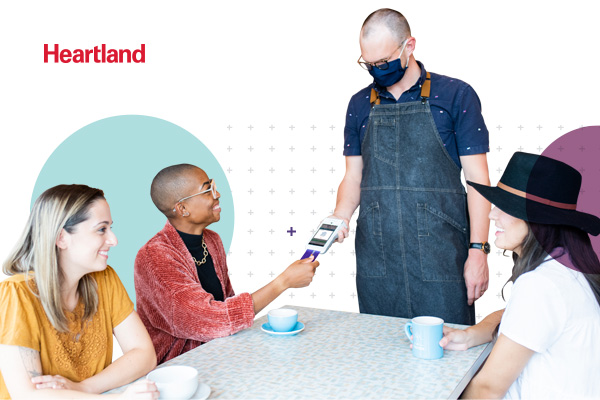
The way service looks has changed rapidly, but Heartland’s kept up. We’ve upgraded our products and developed new features to help business owners thrive.

Heartland Restaurant is designed specifically for hospitality businesses – from quick service to casual and fine dining. Streamlining operations in one solution makes it easier for restaurant owners to manage and grow their business from tableside to delivery, kiosk to kitchen and from countertop to online.

Point of Sale

Our cloud‐based POS solutions have smooth‐as‐butter integrations with online ordering, contactless payments and more. Manage from work, home or wherever life takes you.

Online Ordering

Make the transition with a simple, reliable solution delivering the revenue you need and the efficient, cleanly designed checkout experience customers expect.

Mobile Payments

Designed for dependability, you can accept payments online or in‐person payments from your phone or tablet in minutes. Curbside pickup just became a breeze.

Email Marketing

Keep your customers close even during social distancing. Provide key information and updates about your hours, current specials, takeout, delivery options and more.

Payroll

Everything in the restaurant industry is fast paced, including your payroll and HR needs. With our tools, you’ll spend less time worrying about employee onboarding or payroll and more time building memorable customer experiences.

Virtual Gift

Ditch physical gift cards for the convenience of selling virtual gift cards on your website. Ideal for customers wanting to show their support, or just looking for a delicious meal.

Want to know more?  Visit Heartland

We have proudly partnered with the National Restaurant Association introducing top-of-class products for restaurants.

The way service looks has changed rapidly, but Heartland’s kept up. We’ve upgraded our products and developed new features to help business owners thrive.

Heartland Restaurant is designed specifically for hospitality businesses – from quick service to casual and fine dining. Streamlining operations in one solution makes it easier for restaurant owners to manage and grow their business from tableside to delivery, kiosk to kitchen and from countertop to online.

Point of Sale

Our cloud‐based POS solutions have smooth‐as‐butter integrations with online ordering, contactless payments and more. Manage from work, home or wherever life takes you.

Online Ordering

Make the transition with a simple, reliable solution delivering the revenue you need and the efficient, cleanly designed checkout experience customers expect.

Mobile Payments

Designed for dependability, you can accept payments online or in‐person payments from your phone or tablet in minutes. Curbside pickup just became a breeze.

Email Marketing

Keep your customers close even during social distancing. Provide key information and updates about your hours, current specials, takeout, delivery options and more.

Payroll

Everything in the restaurant industry is fast paced, including your payroll and HR needs. With our tools, you’ll spend less time worrying about employee onboarding or payroll and more time building memorable customer experiences.

Virtual Gift

Ditch physical gift cards for the convenience of selling virtual gift cards on your website. Ideal for customers wanting to show their support, or just looking for a delicious meal.

Want to know more?  Visit Heartland.

Payments Without Pesky Limits

Minimalism, a movement to rid life of excess in favor of what’s important, is growing in popularity. It’s only natural the trend would extend to business. And it turns out there’s freedom in simplicity. Now, all you need to run your business is:

  1. Your phone
  2. Heartland Mobile Pay
  3. Your next destination

Don’t be fooled; this lightweight card reader is a heavy hitter when it comes to features. Whether your customers tap, dip or swipe, Mobile Pay does it all — and gets you access to your money within 24 hours. The only limitation is the bounds of your entrepreneurial spirit.

The ideal customer experience, anywhere 

Ruggedly designed to work in any environment, Mobile Pay is ready to collect payments wherever business takes you. Process transactions at lightning speed, or generate invoices for later payment. Customers get the efficient experience they expect, and you get the security of EMV electronic chip card technology authenticating each card as genuine.

Never miss a sale 

Go boldly back to business after downloading the Mobile Pay app and connecting the Heartland card reader to your phone or tablet. With Mobile Pay’s reliability, worrying about technical glitches and lost sales are a thing of the past. Rest even easier knowing Mobile Pay encrypts card data as soon as it enters the card reader, and card data is never stored on your mobile device.

Customer trends revealed 

Data helps you run a better business. Mobile Pay provides a companion merchant web portal, accessible 24/365 from any internet-enabled device. Simply view real-time sales, transaction details and inventory. Export reports to share with partners when you need to re-stock or reevaluate.

Get all the functionality of a traditional payment terminal with the counterspace of a phone. Mobile Pay is the flexible solution for your evolving business.

Is now the right time to ditch your old point of sale for something new?

Like most small businesses, restaurateurs threw their 2020 plans out the window after pandemic shutdowns shuttered locations. But SMBs aren’t the only ones who altered their plans. You can add point of sale software providers to the list.

Companies like Heartland began upgrading products and developing new features to help small business owners thrive when business is unusual.

Here are six of the latest product features and things you should consider when deciding to upgrade your point of sale:

Is your POS more than you bargained for?

Point of sale systems aren’t one size fits all. Some solutions are designed for complex businesses, offering features that you’ll never use. Usually, complex solutions mean a complex user experience. If you’re having trouble navigating the display screen, think about the new server you just hired. How many hours will it take to cross-train him on the system?

Support. Support. Support.

If location is most important in small business hierocracy, support is the next bullet on the list. Make sure you’re getting the point of sale support you need as the business grows. Is the company offering consulting support? If not, find a partner who’s aware of the latest payment tech trends and products, so you have the tools you need today and in the future.

Does it have online ordering?

Yes, it’s not new, but before you skip ahead to the next tip, make sure you understand the benefits of integrating online ordering with the point of sale.

A cloud-based POS with a built-in online ordering tool lets you accept orders on your website and manage them at the POS. And since these are cloud-based systems, you can track online sales from anywhere, on any web browser.

Make sure it’s restaurant approved.

Remember, not all point of sale systems are the same. Choose one built for your restaurant. Some newer, cloud-based POS systems offer an array of features like real-time reporting, time and attendance, inventory management, and customer buying behaviors. These systems are perfect if you want to save on inventory costs, reduce overtime wages, and optimize your menu.

Can’t touch this.

Payment companies invested a ton of resources into contactless and touchless payment technology over the last year, with Scan to Pay and Pay-to-Link being the latest to hit the market. These two features are transforming the way restaurants accept payments. Sounds great, but what is Scan to Pay and Pay-by-Link?

Scan to Pay technology lets customers scan a unique QR code with their smartphone, usually printed on their check, and pay for their meal at the table, host stand, or the curb.

With Pay-by-Link, you can create a unique payment link and text it to the customer. No more accepting cards over the phone. No more unpaid to-go orders.

Keep scheduling, payroll, and the POS under one roof.

Why should you find a solution that combines these three functions? Well, fewer headaches for one, but by combining scheduling, payroll, and payments, you’ll spend less time scrolling through spreadsheets and more time growing your business.

An integrated solution shares data, so if a server enters her tip on the point of sale, it’s synced with the other programs. And since these are cloud-based systems, you can create schedules from anywhere, on any web browser. Staff can view schedule updates from their phone in real time.

If it feels like the right time to update your point of sale, we suggest you check out Heartland Restaurant. It’s a smart, cloud-based POS designed for restaurants; it checks all our boxes.


Read more

How Tech Helps Restaurants Prep for the Future


When “Daniel” shut down due to COVID-19, Chef Daniel Boulud quickly developed creative weekly menus, powered by an online delivery and carryout platform. His pivot shows how some restaurateurs have faced new circumstances with remarkable resilience and innovation.

“In response to the changed environment, the first thing restaurants are doing is purchasing a digital point of sale,” says Andre Nataf, senior vice president of point of sale at Global Payments’ company Heartland. “In addition to accepting digital transactions, they need to have tools to engage with customers, such as email marketing capabilities, loyalty programs and a robust website presence.”


New customer expectations

About 70% of consumers said eating at a restaurant will help them feel normal again, according to a nationwide Global Payments survey of 1,000 consumers. However, when they do arrive, they’ll be more wary of safety, cleanliness and quality.

The good news: when people feel safe, they’re likely to return. Use technology to build loyalty and trust:

Digital ordering. Customers can reserve, order and pay from their mobile apps and devices. Digital also minimizes interactions between delivery drivers and staff.

Touchless payments. Restaurants can add QR codes to digital drive-thru menu boards or restaurant receipts, with customers ordering and paying with Apple Pay or Google Wallet. About 44% of consumers are willing to tap to pay, up from 29% before the pandemic, according to the Global Payments survey.

Digitally powered inventory. Restaurants can control menus with a click or a tap for instantly reflected changes, even with multiple locations.

Cloud agility. Cloud-based platforms allow restaurants to streamline tasks including kitchen management and drive-thru operations. They also help with customer intelligence and social media reputation management, centralizing reporting and analytics for deeper, faster insights.

Guest list management. Digital POS Systems allow customers to place orders while waiting and receive texts when their tables are ready.

UV-C disinfection. Ultraviolet light can kill or inactivate 99% of microorganisms on POS devices and kiosks. It can be added to existing screens and monitor surfaces for when they’ve been cleaned.

Low-contact server tips. Cloud-based tip processing allows employees to receive funds on prepaid cards, and tipping software like Netspend® Tip Network™ integrate with POS systems to digitally allocate tips.

Consumers are more comfortable in a digital world–technology will only play a bigger role in the future.

Precious time—and software to make the most of it

Time spent managing employee shifts, PTO, overtime, and full-time/part-time status is time away from customers and coaching the crew.

And labor hours can be some of the biggest costs in the business, usually accounting for 25%-35% of restaurant expenditures; the complexity can use up a lot of a manager’s time, too.

But there is software available that can greatly simplify the process while improving accuracy and regulatory compliance and helping you improve your bottom line. Here are some attributes to consider when shopping for an employee time-management program.

Easier scheduling. Scheduling shifts is like a 3D puzzle with multiple factors affecting PTO and overtime. Look for drag-and-drop technology that automatically recalculates the payroll reporting affected by each change. Also give employees access to a linked mobile app to see schedules, look for open shifts and request changes.

Intuitive time tracking. Forget the old, easy-to-game punch systems. Look for a solution supporting pin-punch and iPad clock-ins/clock-outs. Integrated facial recognition software removes temptation, and GPS-enabled geofencing can prevent offsite check-ins.

Simplified time-off tracking. The best time-management software can be tailored to PTO rules and state mandates and regulations. Look for a system with a mobile app; managers and employees should be able to request time off, and check hours earned, used and available. You’ll also be alerted as employees approach full-time status.

Software integration. Your time management software should sync with your POS and payroll software. But there are advantages to migrating to a single integrated solution– including a single log-on and the power to seamlessly transfer data from one application to another.

Customer support. A good restaurant management program is more than software– it’s backed by a knowledgeable customer support team available by phone or online during restaurant-friendly hours.

Learn More 

About Heartland 

Heartland provides entrepreneurs with software-driven technology to manage and grow their business. The company serves more than 400,000 merchants nationwide, delivering trusted solutions for payment, payroll and human resources, point of sale, customer engagement and lending. Heartland is a leading industry advocate of transparency, merchant rights and security. Heartland is a Global Payments Company (NYSE: GPN). Learn more at heartland.us.

High-Touch to No Touch

By Adam Levithan

During my years working at restaurants and hotels I was taught the value of a smile and personal connection as the driver of a good experience. Today, these interactions are limited, and we look to technology not to replace them but to increase efficiency that allow team members time to focus on the customer. Built into your Microsoft 365 investments there are two key areas involving the interaction between back-office, managers and frontline workers, scheduling and training.

Scheduling with Shifts in Microsoft Teams

From the smallest restaurant using a sign-up sheet, call-ins and word of mouth, to chain of restaurants or hotels with self-created systems, a high percentage of time and thought is spent on scheduling. Aptly named, Microsoft created a solution called Shifts for creating and maintaining schedules that is fully integrated into the mobile Microsoft Teams app. You can:

  • Request Time off – Requesting time off sends an alert to the Owner, who can approve/reject the request.
  • Swap/offer shifts – Alerts are sent to the people that are chosen, and they can accept/deny the request.
  • Views/Reports – Back-office and Managers can review schedules in many different ways.

On-line Training

With your team members already in Microsoft Teams for scheduling, virtual meetings and finding documents, the next step is to embed training into the mobile friendly tool. While the best trainings in a restaurant or hotel are hands-on, you can come close to the experience.

  • Interactive Live Sessions – You can produce single or multi-camera training videos with minimal production effort to show all angles of the training, while simultaneously taking and answering questions.
  • One-time, Live & Recorded – If people couldn’t attend the original session it is recorded, and a questionnaire can be added to test knowledge. Team members can even submit video responses demonstrating their training.

Technology will never replace high-touch scenarios, but it provides more time for your team members to focus on delivering memorable and effective experiences in the new normal and beyond.